
In order to commence the integration with HumanforceHR, please generate an API key and provide Allara Global with these details.
Setting up the API Access:
- Go to Settings > All Settings > Public API Access Keys and create a new access key. Copy the access key.
Sharing the access key securely:
- To securely share your access key with Allara Global, please use OneTime Secret.
IMPORTANT: Please do not send the access key via email, as it provides access to your HumanforceHR data. - Navigate to https://eu.onetimesecret.com
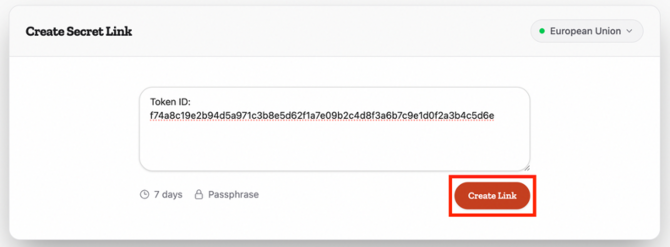
- Paste your access key into the secret message field. Select Create Link.
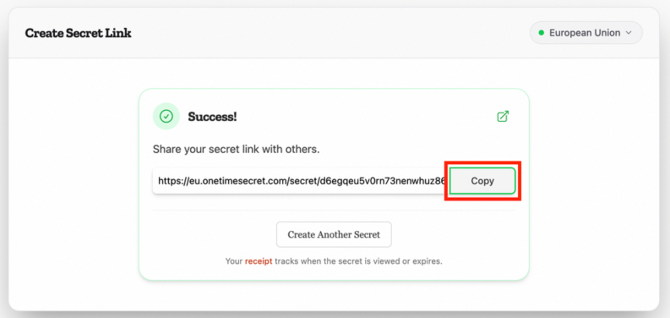
- Copy the generated OneTime Secret link.
- Email the OneTime Secret link to your Allara Global onboarding contact.
- Along with the OneTime Secret link, please also provide Allara Global with the URL you use to access your HumanforceHR account.